AI for builders · 03: 90% of Claude Cowork isn't code, and that's the half I stopped doing by hand
Anthropic says most Cowork usage is the work around work: folders, trackers, memos, morning briefs. Here's how i put an agent on the operational half of shipping a product.
TL;DR. Chat makes you drive every step; Cowork flips it, you describe the outcome and it works across your files and apps and hands back the finished thing. Anthropic says more than 90% of Claude Cowork usage is not code, it is business ops and content work. As a builder the win is not the code half you already automated, it is the operational half you still do by hand: turning a pile of raw material into a structured artifact, on a schedule. Start with one task you resent, give it context first, scope its access tight, and review the output like you review a PR.
This piece is from Code Meet AI, my newsletter where i document how i actually use AI to ship real products, receipts included. New guides land there first.
This Monday Anthropic expanded Claude Cowork to web and mobile and put a number on what people run on it: more than 90% of usage is not software development. Not code. The biggest categories were business operations and content work. Reconciling the quarter's spend and drafting the memo. Turning a folder of contracts into a renewals tracker with the risks flagged. Building tomorrow's client deck from call transcripts.
They call it "the work around work." Good name. It is the layer of the job that is real work, takes real hours, and somehow is nobody's actual job. If you ship products, you know this layer intimately, because it is most of what stands between a finished feature and a business that actually runs.
If you write code, you have had this delegation engine for a year in the terminal. Cowork is the same engine pointed at everything else. The builder question is not "can it code," it is "which repeatable, high-effort chore in my week can i describe once and never touch again."
the problem: you automated the code, not the operation
You already delegate the code. You open Claude Code, describe an outcome, review the diff. But a product is not just the code. It is the onboarding data nobody has read, the support messages that hide the next feature, the weekly numbers you paste into the same doc, the folder of assets that should be a naming convention. That half is still manual, and it is the half that quietly eats your Sundays.
Cowork is the same Claude with a different job description. You hand it an outcome, it makes a plan, works across the files and apps you have connected, and comes back with the finished thing. While it runs, you ship. Since this week it follows you: start a task at your desk, check status on your phone, pick up the result with the laptop closed. Scheduled tasks run even with no device online.
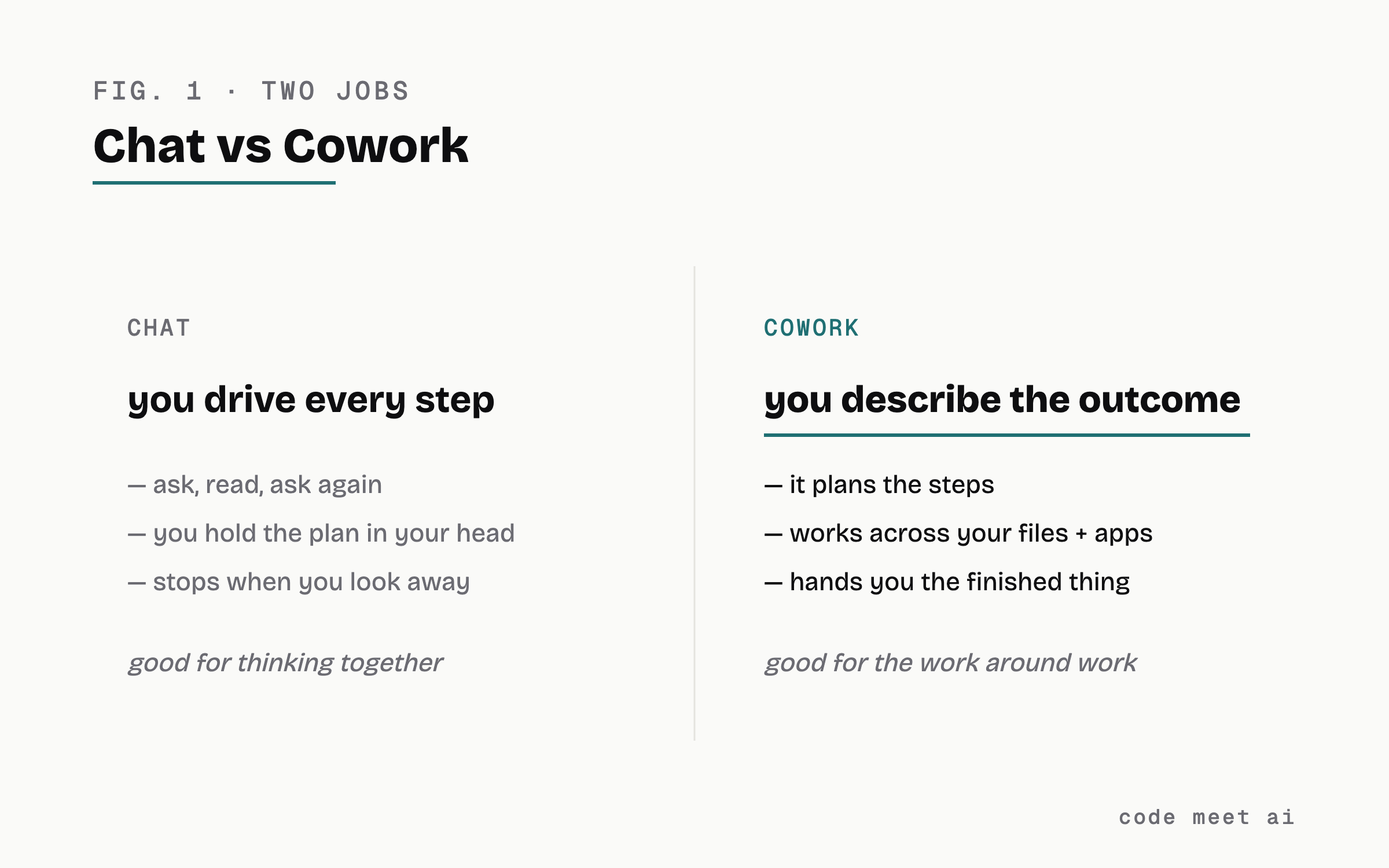
Chat: you drive. Cowork: you describe, then review.
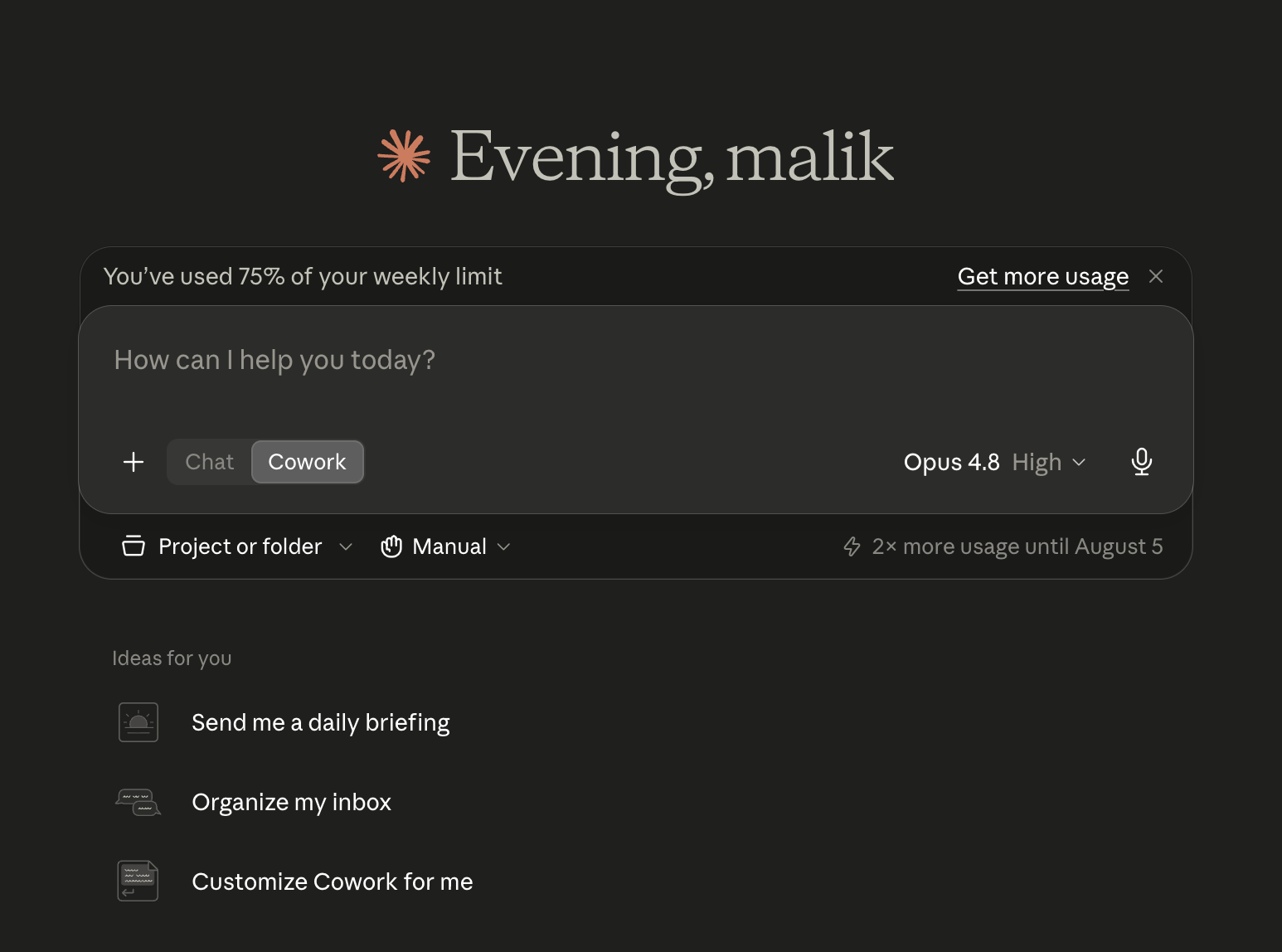
my actual Claude home. one toggle flips chat into Cowork, and "send me a daily briefing" is already sitting there as a suggestion.
The common shape of what works: high effort, repeatable, and the source material already sits in your files. Folder archaeology (rename 400 assets to match the product list). Pile of documents that should be a list (contracts to a renewals tracker, receipts to an expense sheet). The recurring report (the Monday numbers, in the same format, delivered without you). First drafts from your own material (the deck from the transcripts). That is the delegation sweet spot, and you already know how to spot it because you spot it in your codebase every day.
the build receipt: how this runs on Wire AI
Concrete, because builders trust receipts over theory. I am building Wire AI, a dynamic onboarding engine that generates the flow at runtime instead of hardcoding screens. The engine is only as good as the product_context prompt behind it, and that prompt has to be grounded in the app's real user pain, not my guesses.
The work around that work used to be brutal. To ground a new tenant's onboarding, i had a folder of raw material: app store reviews, support threads, a couple of user-call transcripts, the feature list. Reading all of it and distilling the actual pain points was an afternoon of tab-switching every time i onboarded an app.
So i described the outcome instead of doing the steps: "read everything in this folder, pull out the recurring user pain points, group them, and give me a table of pain to feature-that-solves-it, ranked by how often it shows up." Pile of documents in, structured pain-point tracker out. That table is exactly what the product_context prompt needs. What was an afternoon became a review pass: i read the table, cut the two rows it over-weighted, and shipped the prompt.
Two things made it safe, and they are the whole point of this article. First, i gave it context up front, the same way i give every project a memory folder: a short brief on what Wire AI is and what a good pain point looks like, so it did not invent features the app does not have. Second, i scoped its access to that one folder, nothing else. A general agent with the run of your drive is a liability; an agent pointed at a single input folder is a tool.
how to start: one resented task
Don't tour the features. Pick the one repeatable chore you flinched at while reading this. Then:
Give it context first. Point Cowork at a short context file: what this is, what good output looks like, what to leave alone. Two minutes, and the output quality jump is not subtle.
Describe the outcome, not the steps. "Group these by client, newest first, flag duplicates" beats a 12-message back-and-forth.
Scope the access. Connect the folders and tools the job needs, not everything you own. Least privilege, the same rule you give a service token.
Review like you review a PR. It hands you a deliverable, not a truth. Spot-check five rows against the source before you trust it.
If it worked twice, make it a routine. The scheduled kind is where the hours come back: describe it once and stop doing it forever.
the pitfalls: where this breaks
Honest limits, because there are some.
Access is blast radius. Cowork acts across whatever you connect. Give it the run of your whole drive and one confused instruction can touch things you never meant. Scope it to the job, the same way you scope an OAuth token.
It is confident when it is wrong. A tracker with one silently wrong date is worse than no tracker, because someone will trust it. You know this from AI code that compiles clean and still ships a bug. The review step is the job you keep.
Don't automate a mess. If the underlying process is undefined, a routine just makes the wrong thing happen faster and on a schedule. Get the manual version right once, then hand it over.
the punchline
The AI didn't take the work. It took the work around the work. For builders that is not a threat, it is the afternoon back. What's left over is the part that always needed you: deciding what to build, and checking that what came back is true.
I am putting together a routines starter pack: three plain-language routine templates (the folder cleanup, the pile-to-tracker, the morning brief) you can adapt in five minutes. It goes out through the newsletter first.
What is the one repeatable chore in your build week you would hand over first? Drop it in the comments, i reply to all of them.
Written by Malik at Code Meet AI. Episode 02 of this series was give the AI a memory, episode 01 was the art of prompting.
i'm Malik, i've been a mobile engineer for 9 years, and i run my work and this newsletter on the system these episodes describe. Originally published at Code Meet AI.
About the author
- I build solutions for Mobile app founders using AI. i write about ai here: https://codemeetai.substack.com/
Comments
Join the discussionNo comments yet. Be the first to comment.
Build with AI
I teach you to go from beginner, to advanced in the AI usage for building. I have launched 6 products with AI, and i m using it to automatise most of my workflows. This serie to share that knoweldge

